Page 1 of 1

Embed setup difficulties

Posted: 11 Feb 2026, 01:24
by JMM
Hello Karl,

I tried installing Embed a year or so ago, but gave up because I was unable to grasp how to set it up.

I'm trying again to set it up at this time, but before I waste time trying to do something that won't work, I wish to confirm the following:
  1. I have X3.34.2 Pro installed on domain www.domain1.com
  2. I have also confirmed that Files works on that domain.
  3. I wish to use Embed on a non-X3 website, which is a PHP website on www.domain2.com
Will that (item 3 above) work?

At Step #2 (add Embed JS and CSS) on THIS page, I have the following on the page that I wish Embed to be displayed:

In the header:
Code
<link rel="stylesheet" href="https://cdn.jsdelivr.net/npm/embed.photo.gallery@0.15.3/css/embed.min.css">
...and at the bottom of the body:
Code
<script src="https://cdn.jsdelivr.net/npm/embed.photo.gallery@0.15.3/js/embed.min.js"></script>
Next, I've copied the Files Gallery 0.15.3 index.php file to the X3 gallery (on domain www.domain1.com), that I wish to embed on my non-X3 website at www.domain2.com

But I am stumped at Step #3 (Prepare Embed gallery container) on that Embed Setup Instructions page:

Code
<div class="embed" data-embed-app="/path/index.php" data-embed-path="mygallery"></div>
I assume that the "/path/index.php" above is a part of a URL path, and not for example part of a Windows directory path, am I correct?

So for Step #3, I have:

Code
<div class="embed"
   data-embed-app="https://www.domain1.com/galleries/gallery_that_I_wish_to_embed/index.php/"
   data-embed-path="https://www.domain1.com/galleries/gallery_that_I_wish_to_embed/">
</div>
I am afraid that I have the above wrong, as it is not working.

What am I doing wrong?

Thanks in advance.

John
Re: Embed setup difficulties

Posted: 11 Feb 2026, 01:44
by JMM
I just tried to go to this URL to see what would happen, and got an Error 404 Not Found:
Code
https://www.domain1.com/galleries/gallery_that_I_wish_to_embed/index.php
I have confirmed that the index.php file is indeed in that gallery.

If it would help you figure out what I'm doing wrong, I can give you real URLs.

Re: Embed setup difficulties

Posted: 11 Feb 2026, 23:02
by mjau-mjau
Hi John,

I think there's two things we need to address here. First of all, this:
JMM wrote:I just tried to go to this URL to see what would happen, and got an Error 404 Not Found:
https://www.domain1.com/galleries/galle ... /index.php
There may be some misconception about X3 url's and paths, as they are not the same. X3 uses a /content/ folder to contain all page folders in X3, and this is effectively part of the FILE PATH. However, X3 uses rewrite to create "nice" urls without the /content/ in the url. For example from our demo gallery:

URL
demo.photo.gallery/galleries/landscapes/

If you want to access an image in that dir:
demo.photo.gallery/galleries/landscapes/antarctica.jpg :x: This is not the path to the image
demo.photo.gallery/content/galleries/landscapes/antarctica.jpg :white_check_mark: This is the actual path

So in your case, the path to a file should be here, with the "content":
https://www.domain1.com/content/galleri ... /index.php

This issue is/was therefore not inherent to Embed, but likely an incorrect path to the index.php, caused by confusion with X3.

The other issue to be mentioned, is that when using EMBED, you need to use the index.php that is bundled with the specific Embed release, because that's what the Embed script latest version was designed for. You can download here:
https://cdn.jsdelivr.net/npm/embed.phot ... /index.php

In other words, setup of Embed isn't really related in any way to your existing X3 or Files Gallery. Hope this allows you to get some progress. If not, let me know!

Re: Embed setup difficulties

Posted: 12 Feb 2026, 04:27
by JMM
Hi Karl, thanks for getting back to me.

Your reply has cleared up quite a bit, thank you.

After downloading the proper Embed index.php file & placing it in my test folder, as a test I am finally able to call it directly in my browser:

https://www.aurorawings.me/content/galleries/My_Canadian_Armed_Forces_era_(aircraft)/tracker/index.php

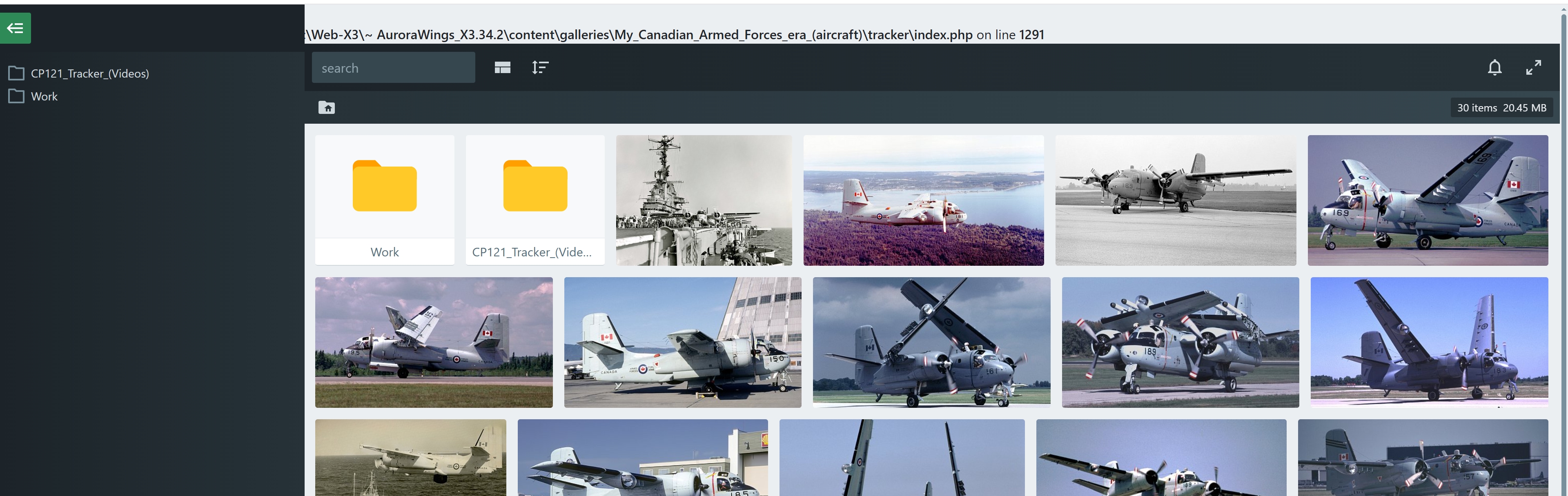
...but I'm getting an error:

Image

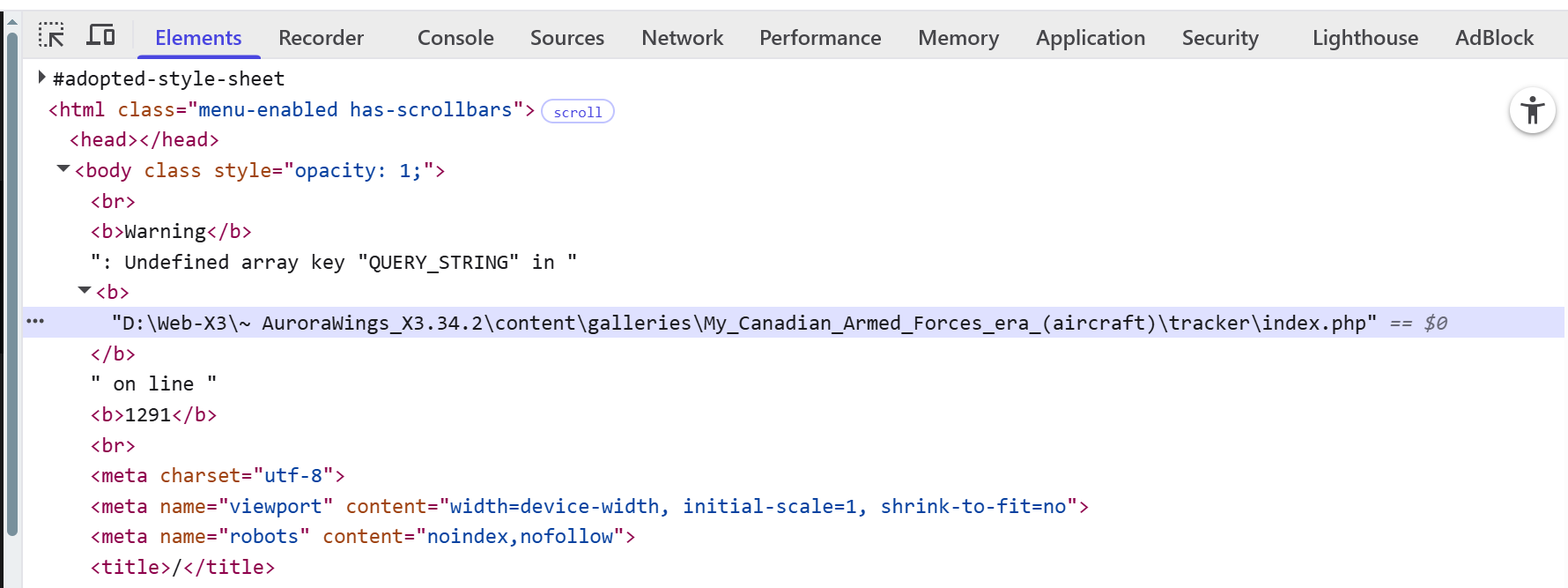
...and at the top of page, I'm seeing this:

Image

But if/when I am finally able to resolve the above, I am still unsure what exactly I need to fill in for here, on the page that I'm trying to embed:
Code
<div
   class="embed"
     data-embed-app ="D:\Web-X3\~ AuroraWings_X3.34.2\content\galleries\My_Canadian_Armed_Forces_era_(aircraft)\tracker\index.php"
     data-embed-path ="D:\Web-X3\~ AuroraWings_X3.34.2\content\galleries\My_Canadian_Armed_Forces_era_(aircraft)\tracker\">
</div>
I have no idea if the above 2 items should be the location on my hard drive, or the URLs to those items.

At least I am a step closer, thanks to your earlier reply.

Thanks in advance.

John

Re: Embed setup difficulties

Posted: 12 Feb 2026, 04:44
by JMM
I'm getting closer, I think.

While playing around with different formats for data-embed-app and data-embed-path, at least now I'm getting an error, which I wasn't getting before, so I think I'm getting closer:

TypeError: Failed to fetch

Re: Embed setup difficulties

Posted: 13 Feb 2026, 04:18
by mjau-mjau
JMM wrote: ...but I'm getting an error:
This is just a "warning", but it's breaking the output. It's the ufortunate circumstantial issue of your server 1. Reporting "warnings", and 2. returning undefined $_SERVER['QUERY_STRING'], which could be empty but shouldn't be "undefined". This was fixed in a later Files Gallery release, but in your case, you must open the "index.php" file you downloaded, and edit line 1291:
Code
$query = config::$config['history'] && $_SERVER['QUERY_STRING'] ? explode('&', $_SERVER['QUERY_STRING']) : false;
Change to:
Code
$query = config::$config['history'] && !empty($_SERVER['QUERY_STRING']) ? explode('&', $_SERVER['QUERY_STRING']) : false;
JMM wrote: But if/when I am finally able to resolve the above, I am still unsure what exactly I need to fill in for here, on the page that I'm trying to embed:
Code
<div
   class="embed"
     data-embed-app ="D:\Web-X3\~ AuroraWings_X3.34.2\content\galleries\My_Canadian_Armed_Forces_era_(aircraft)\tracker\index.php"
     data-embed-path ="D:\Web-X3\~ AuroraWings_X3.34.2\content\galleries\My_Canadian_Armed_Forces_era_(aircraft)\tracker\">
</div>
Never use full server paths, only relative paths or root-relative paths. In your case, it should probably look like this:
Code
<div class="embed" data-embed-app ="/content/galleries/My_Canadian_Armed_Forces_era_(aircraft)/tracker/index.php">
</div>
In the above, you are telling Embed to look for the "index.php" in the given url, relative to the root of your server. It could be you can use a simpler relative url also, but that depends on the location of Embed itself. I have excluded "data-embed-path" because that's only required when the PATH (the folder you want to view) is different from the APP location, which it isn't. In your case, you are attempting to view files/images in the "tracker" dir correct?

Let me know how it goes ...

Re: Embed setup difficulties

Posted: 13 Feb 2026, 05:30
by JMM
That fix on line 1291 worked.  Thank you.

I have updated my page (that's calling Embed) to use the data-embed-app path that you suggested, but I'm getting the same error that I was getting earlier:

Code
SyntaxError: Unexpected token '<', "
You can see the error HERE, on that page.

Image

I have no idea where that < is that's causing that error.

Re: Embed setup difficulties

Posted: 13 Feb 2026, 05:33
by JMM
The only items in that PHP file that's causing that < error is:

Code
<head>
     <link rel="stylesheet" href="https://cdn.jsdelivr.net/npm/embed.photo.gallery@0.0.7/css/embed.min.css">
</head>

<body>

     <div
          class="embed"
          data-embed-app ="/content/galleries/My_Canadian_Armed_Forces_era_(aircraft)/tracker/index.php">
     </div>

     <script src="https://cdn.jsdelivr.net/npm/embed.photo.gallery@0.0.7/js/embed.min.js"></script>

</body>

Re: Embed setup difficulties

Posted: 13 Feb 2026, 05:52
by JMM
I just had a thought...

Code
<div class="embed" data-embed-app ="/content/galleries/My_Canadian_Armed_Forces_era_(aircraft)/tracker/index.php"></div>
...is not going to work.

The above embed location is on domain www.aurorawings.me, but I'm trying to call it from domain www.fusionwings.com... a completely different domain.  Which is what I had asked with point # 3 in my original post.

Re: Embed setup difficulties

Posted: 13 Feb 2026, 08:37
by mjau-mjau
JMM wrote:...is not going to work.
Yes, I saw in the url the file isn't there.
JMM wrote:The above embed location is on domain www.aurorawings.me, but I'm trying to call it from domain www.fusionwings.com... a completely different domain.  Which is what I had asked with point # 3 in my original post.
So just to be clear, you are trying to embed images from one domain into another? You could try this then:
Code
<div class="embed" data-embed-app ="https://www.aurorawings.me/content/galleries/My_Canadian_Armed_Forces_era_%28aircraft%29/tracker/index.php"></div>
However, although the above might take you one step further, there are many reasons why it will likely fail (cross-domain requests, relative image paths), unfortunately. Are the domains on the same server?

Re: Embed setup difficulties

Posted: 13 Feb 2026, 21:57
by JMM
Yes, they are all on the same server.

I've been experimenting (OK, playing around).

The non-X3 domain that I am testing using Embed from, www.fusionwings.com, I created some Aliases to my X3 site:

Code
/x3_aurorawings points to D:\Web-X3\~ AuroraWings_X3.34.2\content\galleries

/x3_aurorawings_files points to D:\Web-X3\~ AuroraWings_X3.34.2\files

/x3_aurorawings_tracker points to D:\Web-X3\~ AuroraWings_X3.34.2\content\galleries\My_Canadian_Armed_Forces_era_(aircraft)\tracker
And I copied the Embed index.php file into my content/galleries folder.

So now, from my non-X3 domain, I can access my X3 site's galleries, and my test gallery folder (Tracker):

https://www.fusionwings.com/x3_aurorawings/

https://www.fusionwings.com/x3_aurorawings_files/

https://www.fusionwings.com/x3_aurorawings_tracker/

Does the above bring me a step closer to maybe getting the impossible with Embed to work?  :thinking:

Then again, maybe accessing those things are something that Embed was supposed to do anyway, and I didn't actually discover anything.

Re: Embed setup difficulties

Posted: 14 Feb 2026, 02:18
by mjau-mjau
JMM wrote:Does the above bring me a step closer to maybe getting the impossible with Embed to work?  :thinking:
Absolutely!
JMM wrote:Then again, maybe accessing those things are something that Embed was supposed to do anyway, and I didn't actually discover anything.
I'm not quite sure what you mean here ...

Anyway, I'm a little confused to where we stand right now ... For me to be able to diagnose next step effectively, I need to know the exact url of 1. Your embed and 2. The "index.php" you are attempting to use in data-embed-app="". I'm pretty sure we can get this working now if you have sufficient patience.

Re: Embed setup difficulties

Posted: 14 Feb 2026, 03:03
by JMM
I have all the patience in the world.

I have Embed working on my non-X3 website, and also Files on that same non-X3 website.  Of those 2, I personally prefer Files, as it has the capability of displaying the light-type icon near the top-right corner that cycles through the 3 display modes (all dark, all white, or a combination of the two); and Files also shows preview images, which Embed does not.

Please give me 24 hours to tweak what I am trying to do, and then I can give you the URL so you can see what I am trying to do, and the results.

I am still confused (not knowledgeable enough) to grasp & understand the format that I need to use in order to exclude a bunch of subfolders, by way of configuring:

Code
'files_exclude' => '/\.(db|json|log)$/i', // '/\.(db|json|jpe?g)$/i'
By the way, in order to so far get Files to work the way I want it, I ended up copying the index.php file from my Files folder to the actual specific Gallery folder that I want to use.  But although I am accessing Files from the same domain that I purchased my X3 Pro for, just a different sub-domain, I keep getting prompted to purchase Files (or enter a license key, which I don't have), but that's OK as I'll just purchase a license for Files, once I get everything working & tweaked in the next 24 hours.

Thanks for your patience with me.

Re: Embed setup difficulties

Posted: 15 Feb 2026, 01:38
by mjau-mjau
JMM wrote:I have Embed working on my non-X3 website, and also Files on that same non-X3 website.  Of those 2, I personally prefer Files, as it has the capability of displaying the light-type icon near the top-right corner that cycles through the 3 display modes (all dark, all white, or a combination of the two); and Files also shows preview images, which Embed does not.
Half the point of Embed, is that it embeds into your existing website, inheriting the background color and all styles, without applying it's own background. Therefore, it doesn't make any sense to have dark/light buttons for Embed. This would normally be one of the reasons to use Embed, because it embeds directly into an existing website without applying it's own design.

Files Gallery has more functionality, because it's a dedicated standalone file-browser, not meant to be "embedded" into other websites, which the developers therefore that freedom to style and design appropriately.
JMM wrote:Please give me 24 hours to tweak what I am trying to do, and then I can give you the URL so you can see what I am trying to do, and the results.
No problem!
JMM wrote: I am still confused (not knowledgeable enough) to grasp & understand the format that I need to use in order to exclude a bunch of subfolders, by way of configuring:
Code
'files_exclude' => '/\.(db|json|log)$/i', // '/\.(db|json|jpe?g)$/i'
To exclude FOLDERS, you would use dirs_exclude not files_exclude. The above example is to exclude certain file names, regardless of what dir they are in. If you let me know what dirs/dirnames you intend to exclude, I can give some helpful examples.
JMM wrote:By the way, in order to so far get Files to work the way I want it,
Files Gallery or Embed? I thought this topic was mainly about Embed. A bit unclear for me how you intended it to work, so hard to comment about anything in this regards.
JMM wrote:I keep getting prompted to purchase Files (or enter a license key, which I don't have)
Files Gallery is "included" free with X3 as long as you are using it "with" X3. In other words, if you are pointing it somewhere within your X3 "content" (which basically is your X3 website content).

If using Files Gallery for files and folders unrelated to X3, then you either need to use the free version (with popup nag) or purchase a license.