Width of description in popup
Posted: 04 Dec 2020, 22:31
by Dane
Hi!
Where can I find the setting to change the width of the description? I sometimes add long texts to my photos and would like to use the full width.
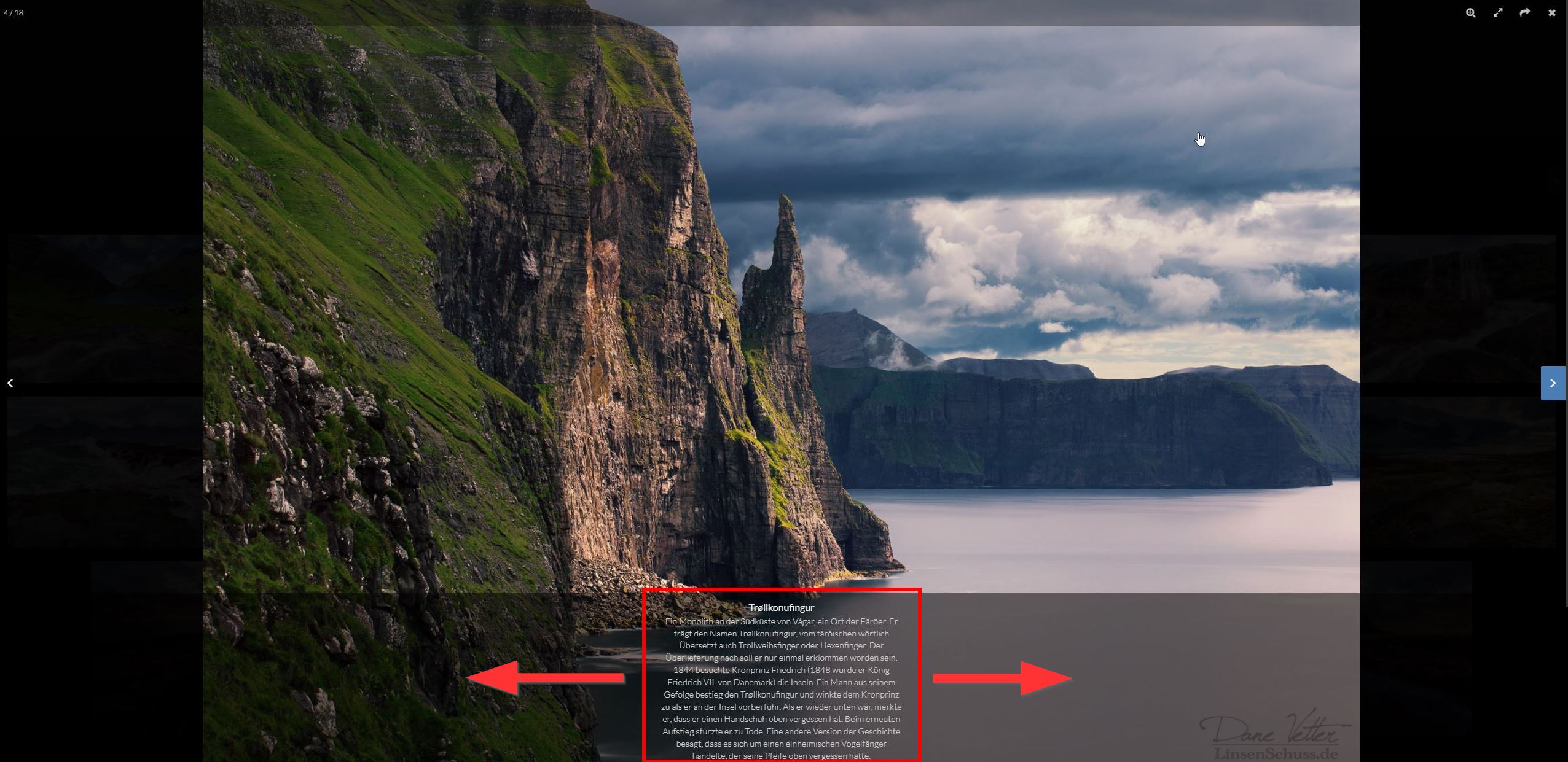
- 2020-12-05 04_27_13-Window.jpg (365.7 KiB) Viewed 1915 times
Thank you!
Re: Width of description in popup
Posted: 04 Dec 2020, 23:31
by mjau-mjau
When you say "full width", what exactly do you mean? I agree the text-block area could be wider in many cases, but no human would want to read text on multiple lines at full width on large screens like the desktop in your screenshot. Optimal reading text width for humans is approximately the same as a book.
You could override the width with some custom CSS. However, I am releasing a new X3 update within a couple of weeks, with a redesigned popup, and the text block width has increased from 480 to 640 pixels. Perhaps wait a little until after the update, to see how it looks?
Re: Width of description in popup
Posted: 05 Dec 2020, 09:19
by Dane
Thank you!
You are right, of course the text block should not be as wide as the image itself. I could imagine that an increase from 480 to 640 would be a good step.
I wait for the update! :)