Your question is a bit unclear. The post title is "
content width" while in your post you write "for the whole
gallery". In X3, "content" represents the custom html/text (in the page's content section"), and should be limited to "narrow" width so that it is easy to read (like a book). I assume you mean you want the entire website (all modules) to be limited to 1600 px width? I would perhaps that you target only gallery and folders modules to be limited by this width.
Gallery and folders modules already have width settings. Go to page settings > gallery, scroll down to "width" settings:
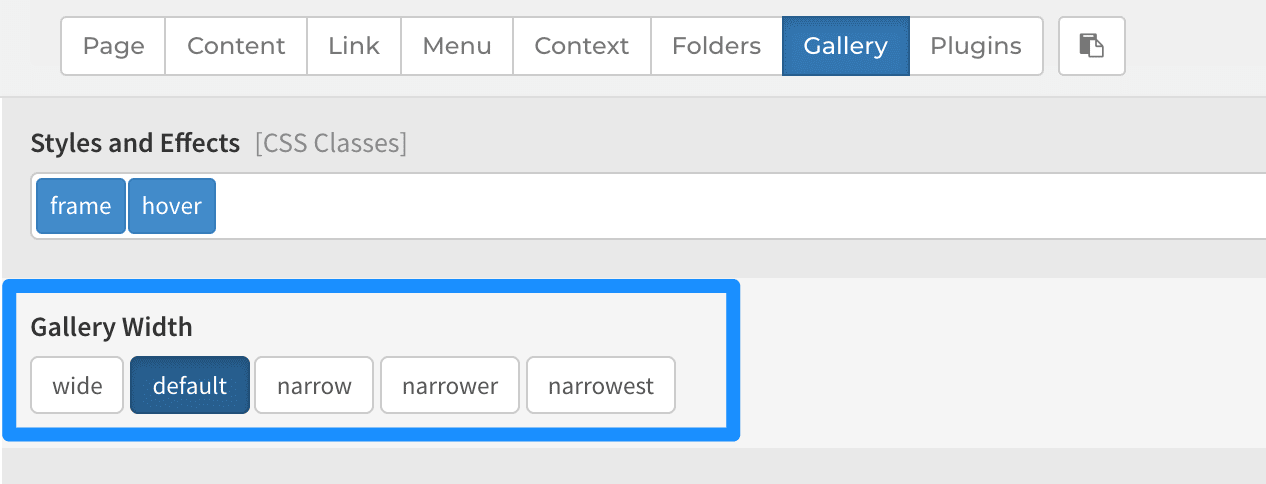
Default means it's limited to around 1140px (which is considered averagely acceptable viewable width for general content). If you set it to WIDE, it will expand to cover 100% of screen, regardless of screen size. I'm not quite sure why you need to set it to 1600px, as it would only affect very large screens (1920 px), and I can't see what logical difference it will make.
You could override the "wide" class so that it is limited to 1600px. In
Settings > Custom > Custom CSS, add this:
.wide {
  max-width: 1600px;
  margin: 0 auto;
}
Now, if you set a gallery or folders module to "wide", it will be limited to 1600px. You can also set this globally from Settings > Page > Folders/Gallery.