Page 1 of 2
startpage image
Posted: 20 Jan 2015, 05:47
by rokudamerlin
sry for new post,
cant find in doc or in forum any to my qestion ..
gallery parameter for fullslideshow .. like startpage in demo
https://www.photo.gallery/demo/x3/examples/other/startpage/
..
greez
Re: startpage image
Posted: 20 Jan 2015, 10:11
by mjau-mjau
Please, all these examples are INCLUDED in the beta release example files, which are identical the the link you are pointing to. That is why we added them, so you could easily see how those pages are created ... Can't you look at that page from your panel and see how it was made?
Re: startpage image
Posted: 21 Jan 2015, 03:31
by rokudamerlin
i have my exsample remove =( ..
my startpage picture is big but i have scrollbars thats not fine ..
pls give me the parameter for this .. or a user who have it .. pls post here the settings

thx
Re: startpage image
Posted: 21 Jan 2015, 03:42
by mjau-mjau
rokudamerlin wrote:i have my exsample remove =( ..
Then I strongly recommend you re-add the examples folder by FTP. You can just HIDE it anyway, so it doesn't display in your gallery, but can still be accessed from links and in the panel, so you can see how all these pages are made. This is fundamental help now with the beta version, if you are wondering how pages are created.
rokudamerlin wrote:my startpage picture is big but i have scrollbars thats not fine ..
pls give me the parameter for this .. or a user who have it .. pls post here the settings
thx
That is also in the examples other/startpage/ ... By default, it will have scrollbars because you have content beneath the slideshow! Try something like this for your startpage:
body: menu-absolute-20 no-footer no-pad
Re: startpage image
Posted: 21 Jan 2015, 15:10
by nz-photo
Hey Karl wassup !
I'm "jumping" into the topic as I've also never been able to get rid of the small bottom 'grey zone' under the photo on my startpage.
My settings follow the ones from startpage example though...
body: menu-absolute no-footer no-pad pad0 mystyle
layout:
modules:
context: hide
menu: hide
gallery: wide slideshow autoplay loop dissolve pad0 no-pad
Any clue? Did I forget something ?
Re: startpage image
Posted: 21 Jan 2015, 22:19
by mjau-mjau
nz-photo wrote:I'm "jumping" into the topic as I've also never been able to get rid of the small bottom 'grey zone' under the photo on my startpage.
Did you fix it already? I can't see any empty space below your start page ...
Re: startpage image
Posted: 22 Jan 2015, 01:59
by nz-photo
Oh no Karl, I didn't.
I was still seeing a scrolling bar and a short bottom band when scrolling.
I will check it tonight again as i am on the road today.
Did you check it on Chrome ?
Re: startpage image
Posted: 22 Jan 2015, 08:16
by mjau-mjau
Yep, Google chrome ... no scroll nowhere, just the full-stage slideshow ...

Re: startpage image
Posted: 23 Jan 2015, 04:53
by nz-photo
Oh Ok Karl thanks.
Well I don't get it as I still see one and don't know why :
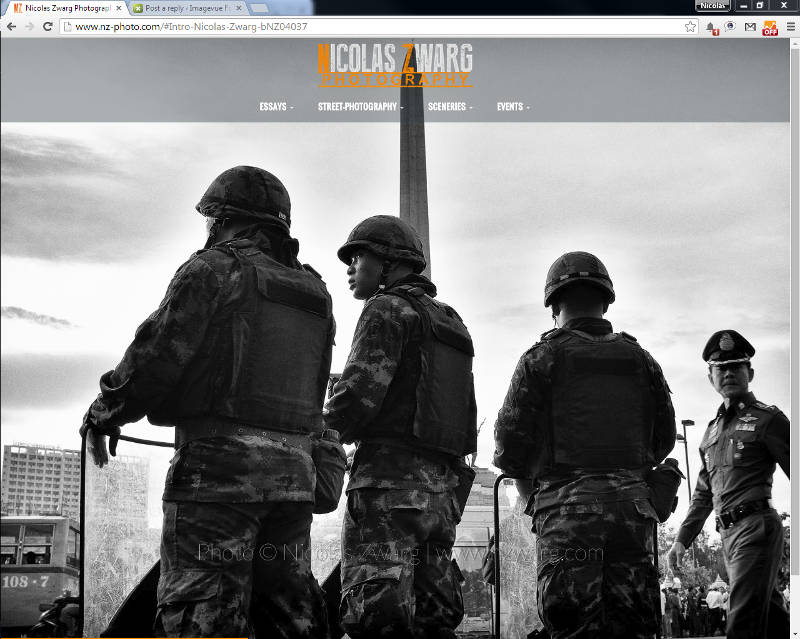
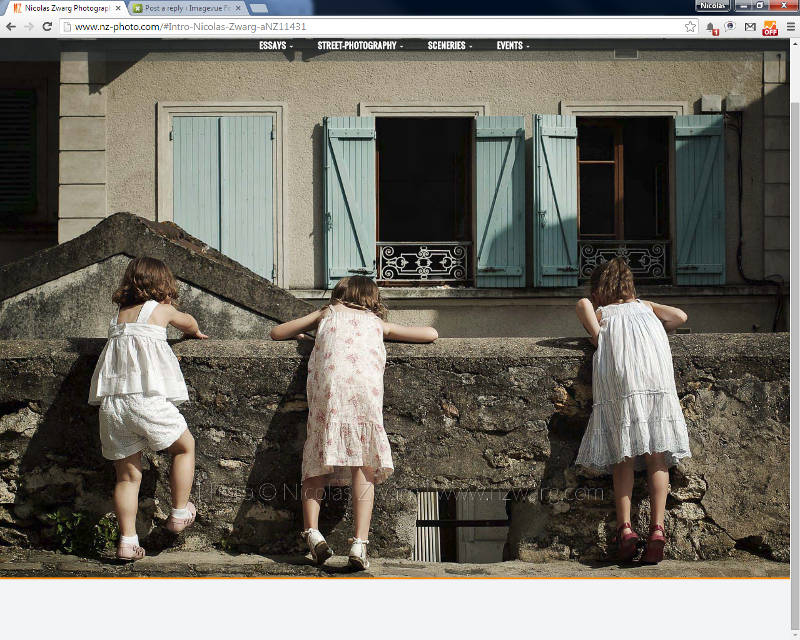
Might come from something in my config then...

Anyway no probs if it's ok but on my comp
Re: startpage image
Posted: 23 Jan 2015, 11:44
by mjau-mjau
I can check later from windows, and maybe someone else can check also? On mac Firefox+Chrome, there is no scroll and no empty space below the slideshow. I am curious to find what it can be though ...
Re: startpage image
Posted: 23 Jan 2015, 12:00
by Martin
Hi,
I checked Nicolas' page on iPad with both Chrome and Safari.... result: no scroll bar and no empty space.
But... on Windows 8.1 there is indeed a scroll bar and some empty space, both with Chrome and iExplore
EDIT:
On my site I've got no problems with windows 8.1... (I've got no scroll bar and no empty space)
These are my settings:
title 		: Home
label		: Home
description	:
date		:
image		:
menu		:
body		: menu-absolute-20 no-pad no-footer
layout		: text-center
context		: hide
folders		:
gallery		: wide pad0 landscape assets:assets/start autoplay loop slideshow:0,0,0,0,0,dissolve,500,0,0,0,5000,0,0 shuffle
content		: |
EDIT (again):
I noticed in your code the use of 'mystyle'.... what kind of style did you put in \custom\css ?
I strongly think that there lies the problem....
Re: startpage image
Posted: 23 Jan 2015, 12:36
by nz-photo
Thanks for the check Martin. I'm on Win 7 here.
I've checked with IE and the bar ans bottom emty space are here too.
mystyle setting is just a CSS code written with Karl's help to change the opacity of the topbar. So I'm not sure it could be related.
I'm gonna ask some friends if they see the sidebar too
Edit: I tried without mystyle setting and it is the same...
Strange thing is :
if I load one of my gallery folders than when I get back to the home page by clicking on my logo I don't see the sidebar....

If I reload the site url the sidebar comes back...
Re: startpage image
Posted: 23 Jan 2015, 13:21
by masquefotos
mac+firefox, mac+chrome and mac+safari a scroll bar and some empty space
Re: startpage image
Posted: 23 Jan 2015, 13:30
by nz-photo
Muchas gracias Juan Carlos !

Damn so it's not only a problem of mine...
Re: startpage image
Posted: 23 Jan 2015, 13:47
by Martin
Hi Nicolas...
Have you already tried my settings (see previous post of mine)?