Search…

X3 Photo Gallery Support Forums

Search…
 
User avatar
JMM
Experienced
Topic Author
Posts: 216
Joined: 02 Aug 2021, 11:18

How do I use custom Javascript?

23 Oct 2025, 18:48

Hello,

I have some custom Javascript code that I've saved into a .js file, and as recommended, I've named it with "include" in the name (for example "myscript.include.js"), so that it automatically loads into my X3 website.

Now, I don't wish to call that file site-wide, but instead only for a few pages, so for each of those galleries that I wish that Javascript code to run, I go to those galleries' respective Settings | Page | Advanced | Page Javascript... but now I don't know what to paste in here.  The help for that field states:

 Don't include 
Code
<script></script>
 tags here.
Do I enter in only the filename with extension, or do I precede that with the full path also?

Thanks in advance.
 
User avatar
JMM
Experienced
Topic Author
Posts: 216
Joined: 02 Aug 2021, 11:18

Re: How do I use custom Javascript?

23 Oct 2025, 19:03

To expand on the above: someone else wrote that Javascript code for me, which (hopefully) checks the screen-width of visitors to my X3 site, and if their screen width is less that 1920px, it (hopefully) displays a message to them stating that their screen-width needs to be at least 1920px, and prevents the page from loading. I then call that Javascript file from whichever X3 galleries that I want it to apply for.

I have no idea if the code works, but no idea how to test it (how to call that Javascript file).

Thanks in advance.
 
User avatar
JMM
Experienced
Topic Author
Posts: 216
Joined: 02 Aug 2021, 11:18

Re: How do I use custom Javascript?

23 Oct 2025, 22:52

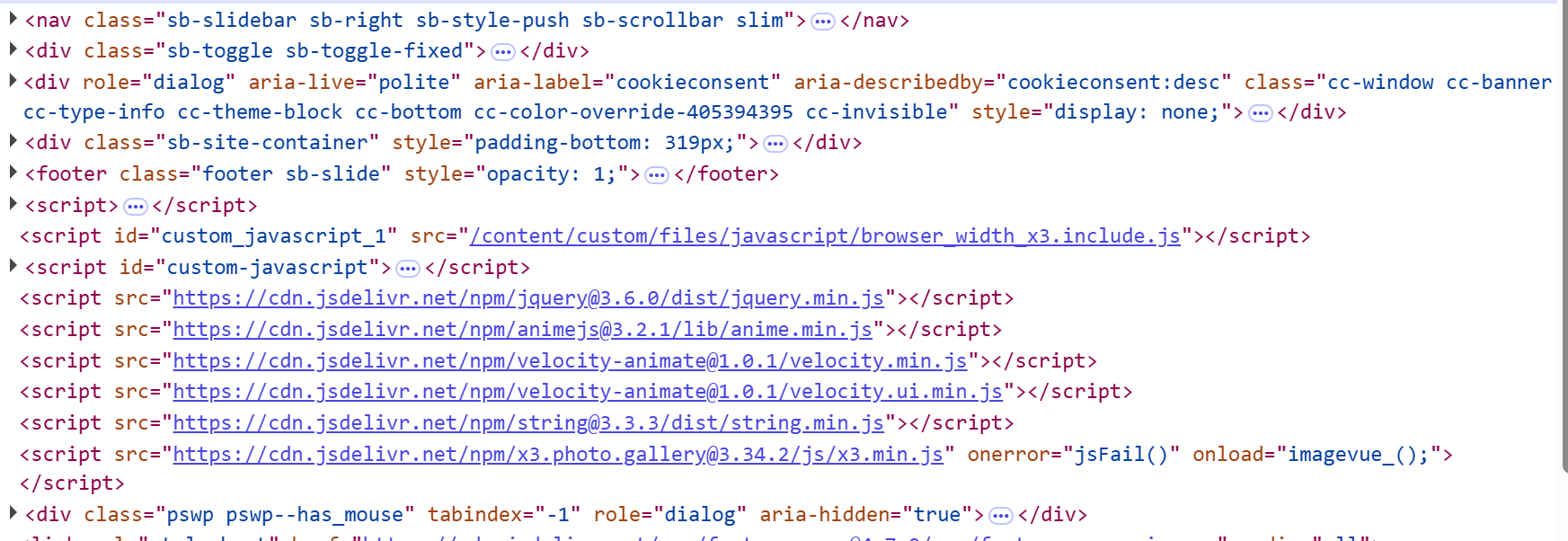
OK, I figured out where to put it.  I placed it in /custom/files/javascript.  That's it.

And it seems that it is being called fine... it's just not working  :upside_down::

Image

According to the non-X3 guy that wrote that little script & is helping me, that Javascript code is being called AFTER the sb-site-container div, but needs to be before.

Is there a way or file that I can modify, so that the script can be run earlier?

Thanks in advance.
 
User avatar
mjau-mjau
X3 Wizard
Posts: 14469
Joined: 30 Sep 2006, 03:37

Re: How do I use custom Javascript?

28 Oct 2025, 05:22

Sorry for the late reply. For some reason, I wasn't getting notification about new forum posts.

First of all, Files Gallery is considered a "single page application". All page content is "injected" when you navigate, as that makes it a smooth dynamic experience. Therefore, custom Javascript is injected once immediately as soon as the website is loaded into browser. If you want to trigger functions on a per-page basis, you would need to use the `x3_load_page()` function.

If you want to trigger javascript on select pages only, then there are a couple of options, but you would of course still need to "apply" this logic somewhere. Either trigger the function from each page (either directly from your "content" or from Settings > Page > Advanced > Page Javascript). You could of course create global functions, and then simply trigger the function name on each page where you want it to apply. X3 can't guess what pages you want to apply the javascript of course.
JMM wrote:According to the non-X3 guy that wrote that little script & is helping me, that Javascript code is being called AFTER the sb-site-container div, but needs to be before.
Yes it's called after the HTML content. Most javascript is called once the DOM has rendered, else you wouldn't be able to target any of the HTML in the DOM. Besides, I'm not sure what your javascript is supposed to do, or why it specifically needs to get called BEFORE sb-site-container exists. I can't see how that makes any sense to be honest.

You could of course insert some Javascript into the <head> (Settings > Custom > Custom Head) section, which could render before any dom elements exist. Hard to imagine why you would need to do that.